Imagine spending hours creating a beautiful website, writing useful blog posts, and building something you genuinely believe in. Everything looks perfect. But when you search for your website on Google, you can barely find it.
Meanwhile, other websites appear at the top of search results, attract visitors, and turn those visitors into customers.
What are they doing differently?
The answer often comes down to Search Engine Optimization (SEO).
If you’ve been wondering how to do SEO, you’re about to discover that improving your website’s visibility doesn’t have to be complicated, expensive, or reserved for technical experts.
In 2026, SEO is about much more than putting keywords into an article. Google continues to focus on helpful information, trustworthy websites, and content that answers what people are searching for. With AI-powered search experiences becoming more prominent, creating genuinely useful content matters more than ever.
But here’s the exciting part: you don’t need to be an SEO expert to start making meaningful improvements.
Whether you’re a student starting a blog, a small business owner, a digital marketer, or someone launching a website for the first time, understanding how to do SEO in 2026 can help you build a stronger online presence.
This beginner-friendly guide will walk you through 12 practical steps, from finding the right keywords to improving website speed, building quality backlinks, and tracking your results.
You’ll also discover free SEO tools, common mistakes to avoid, and a simple checklist you can follow.
Ready to make your website easier to discover? Let’s start with the basics.
What Is SEO and Why Is It Important in 2026?
SEO stands for Search Engine Optimization. It’s the process of improving your website so search engines can discover, understand, and show its pages to people searching for relevant information.
For example, imagine you run a website that sells indoor plants.
When someone searches Google for “best indoor plants for beginners,” you want your helpful guide to appear among the relevant results.
SEO helps improve your website’s opportunity to appear for searches like this.
Unlike paid advertising, where you pay to display advertisements, organic SEO focuses on earning visibility through relevant content, accessible website pages, and other quality signals.
However, SEO doesn’t mean that every optimized page will automatically reach Google’s first position. Search rankings depend on many factors, including relevance, competition, website quality, and the searcher’s needs.
Ready to Improve Your Website’s SEO?
Discover practical SEO techniques to improve your website’s visibility and reach the right audience.
How Does SEO Work?
Google uses automated systems to discover and organize website content.
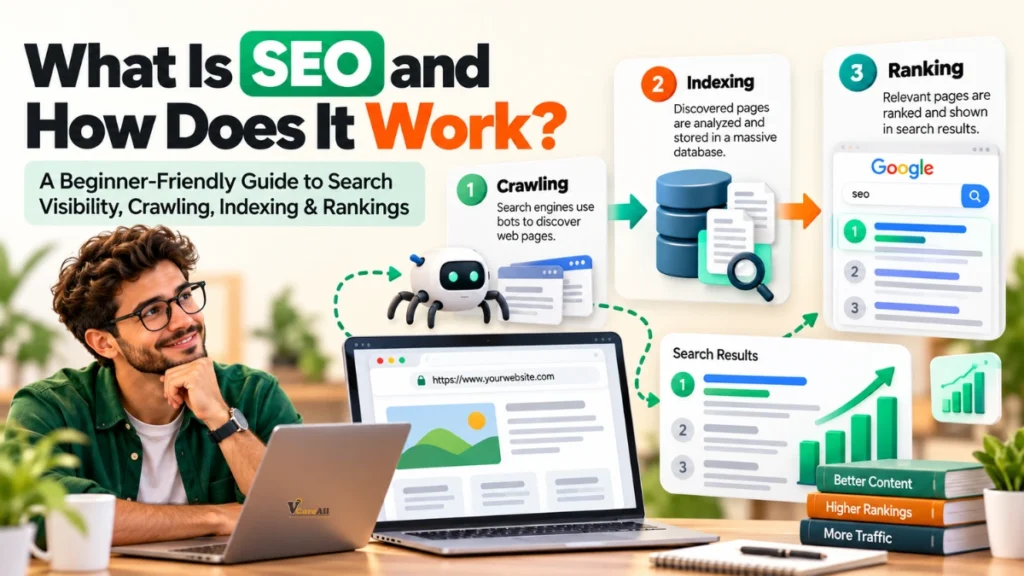
The process can be understood through three main stages:
- Crawling: Search engines discover pages by following links and other discovery methods.
- Indexing: Search engines analyze eligible pages and may store their information in an index.
- Ranking and serving: When someone searches, search systems select relevant results based on the query and other signals.
Think of SEO as making your website easy for both visitors and search engines to understand.
Main Types of SEO
| SEO Type | Main Purpose | Examples |
|---|---|---|
| On-page SEO | Improve individual pages | Keywords, titles, headings, content |
| Off-page SEO | Develop external authority and visibility | Relevant backlinks, brand mentions |
| Technical SEO | Help search engines access and understand pages | Sitemaps, indexing, canonical tags |
| Local SEO | Improve visibility for local searches | Google Business Profile, local pages |
| Content SEO | Create useful content that matches search intent | Blogs, tutorials, guides |
| E-commerce SEO | Improve product and category visibility | Product descriptions, category pages |
A successful SEO strategy combines the areas relevant to your website rather than depending on one technique.
Understand Your Audience and Search Intent
Before you start optimizing a website, understand who you’re trying to reach.
Many beginners immediately search for popular keywords without asking a more important question:
What does the person searching actually want?
This is called search intent.
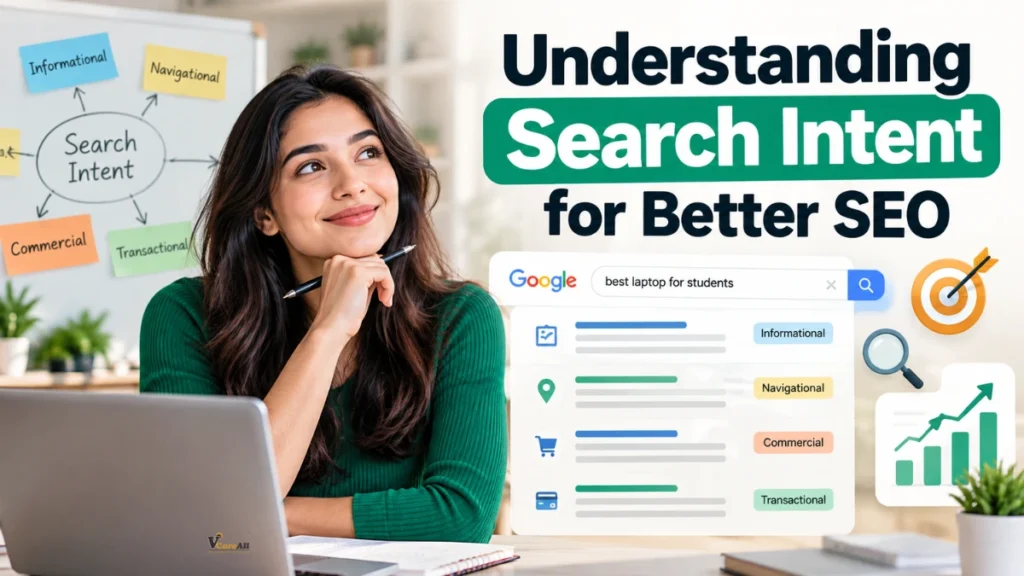
Search intent helps explain why someone types a particular phrase into Google.
For instance, people searching for “how to do SEO for beginners” probably want a tutorial. They aren’t necessarily looking to purchase expensive SEO software.
If your page provides a sales pitch instead of a useful guide, it may not satisfy their needs.
Different Types of Search Intent
| Search Intent | What the User Wants | Example Keyword |
|---|---|---|
| Informational | Learn something | How to do SEO |
| Navigational | Find a particular website | Google Search Console login |
| Commercial | Compare available options | Best SEO tools for beginners |
| Transactional | Take an action or make a purchase | Buy SEO software |
Understanding these differences helps you choose the right type of content.
How to Identify Search Intent
Start by searching your target keyword on Google.
Observe the results.
Are they tutorials, product pages, comparison articles, videos, or business listings?
For example, if most results for “SEO step by step” are educational guides, a detailed tutorial is a reasonable content format.
Next, look at the questions people commonly ask about the topic.
You may notice searches such as:
- How can beginners start SEO?
- Can I learn SEO without paying?
- How do I improve Google rankings?
- What SEO tools should I use?
- How long does SEO take?
These questions reveal opportunities for helpful sections within your article.
Practical tip: Before writing a blog, describe your ideal reader in one sentence.
For example:
“My reader owns a small website and wants to learn SEO using free tools.”
This simple exercise makes content planning much easier.
Perform Keyword Research Before Writing Content
Keyword research is one of the most important parts of learning how to do SEO.
Keywords are the words and phrases people enter into search engines.
Choosing relevant keywords helps you understand what your audience wants and how to describe your content clearly.
However, effective keyword research for SEO involves more than finding words with high search volume.
You should also consider competition, search intent, and whether your website can provide a genuinely useful answer.
Understand Different Keyword Types
Primary keywords represent the main topic of a page.
For this article, the primary keyword is “how to do SEO.”
Secondary keywords are closely related phrases that support the main topic.
Examples include:
- How to do SEO in 2026
- How to do SEO for beginners
- SEO step by step
- Search engine optimization guide
- How to improve SEO
Long-tail keywords are more specific searches.
Examples include:
- How to do SEO for a website on Google
- How to do SEO yourself for free
- How to do keyword research for SEO
- How to improve Google search rankings organically
Long-tail keywords can help you serve specific audience needs. Some may have less competition, although that must be checked using actual keyword data.
Free and Paid Keyword Research Tools
| Tool | Useful For | Cost |
|---|---|---|
| Google Keyword Planner | Keyword ideas and advertising search estimates | Free access with Google Ads |
| Google Trends | Comparing search interest over time | Free |
| Google Search Console | Discovering searches that show your website | Free |
| Google Search | Exploring related searches and autocomplete | Free |
| Ahrefs | Keyword analysis and competitor research | Paid, with some free tools |
| Semrush | Keyword research and SEO analysis | Paid, with limited free access |
How to Choose the Right Keywords
Suppose you want to publish an article about website optimization.
Instead of focusing only on the broad keyword “SEO,” consider a more specific topic such as “how to do SEO for a website.”
Evaluate whether the phrase matches your article, what other pages rank for it, and how well you can answer the searcher’s question.
Build a small keyword group around the topic.
| Keyword | Suggested Purpose |
|---|---|
| How to do SEO | Primary topic |
| How to do SEO in 2026 | Current-year supporting topic |
| SEO techniques for beginners | Beginner strategies |
| On-page SEO techniques | Content optimization section |
| Technical SEO basics | Technical guidance |
| SEO checklist for beginners | Actionable checklist |
| How to increase organic traffic | Expected SEO benefits |
The goal isn’t to repeat every keyword as often as possible.
Use natural variations where they make sense.
Google’s systems can understand related language, so readable writing is more valuable than forced repetition.
Want to Rank Better on Google?
Explore beginner-friendly SEO strategies that can help your website become more search-friendly.
Create High-Quality Content That Solves Real Problems
Here’s something every beginner should understand:
Getting visitors to open your page is only part of the job. Your content should give them a reason to stay and learn.
High-quality content answers questions clearly, explains confusing ideas, and gives readers useful next steps.
Google encourages creators to prioritize helpful, reliable, people-first content rather than publishing articles primarily to manipulate rankings.
That makes content quality a central part of SEO best practices in 2026.
What Makes Content Helpful?
Imagine two articles explaining how to improve SEO.
The first simply says:
“Use keywords, improve speed, and create backlinks.”
The second explains how to find keywords, provides an example of a title tag, shows how to check indexing, and includes a practical checklist.
The second article gives beginners more information they can actually use.
When writing content, aim to provide:
- Clear answers to the main question
- Original explanations and useful examples
- Practical steps readers can follow
- Accurate, up-to-date information
- Relevant tables, illustrations, or screenshots
- Helpful links to trusted resources
- Natural language without unnecessary technical terms
Organize Content for Easy Reading
Most people don’t want to read enormous blocks of text.
Use descriptive headings, short paragraphs, tables, and helpful examples.
For instance, an article about on-page SEO might have sections about title tags, meta descriptions, image optimization, and internal links.
Each section should answer a specific question.
Understand E-E-A-T
E-E-A-T stands for:
- Experience: Relevant firsthand knowledge.
- Expertise: Understanding of the subject.
- Authoritativeness: Recognition as a useful source.
- Trustworthiness: Accuracy, honesty, and reliability.
E-E-A-T is a framework used in Google’s search quality evaluation guidance, not a single ranking score that websites can calculate.
You can support trust by showing accurate author details, explaining your sources, correcting mistakes, and clearly separating facts from opinions.
You don’t need to invent professional experience to sound authoritative.
A straightforward explanation supported by reliable information is better than exaggerated claims.
Optimize Your Titles, Meta Descriptions, and Headings
On-page SEO is one of the easiest places to begin improving your content.
It involves optimizing elements directly on your website so readers and search engines can understand each page.
Learning how to do on-page SEO step by step starts with three important elements: titles, meta descriptions, and headings.
Write Clear SEO Titles
Your SEO title should accurately describe the page and communicate why it’s useful.
For example:
Weak title: “SEO Information”
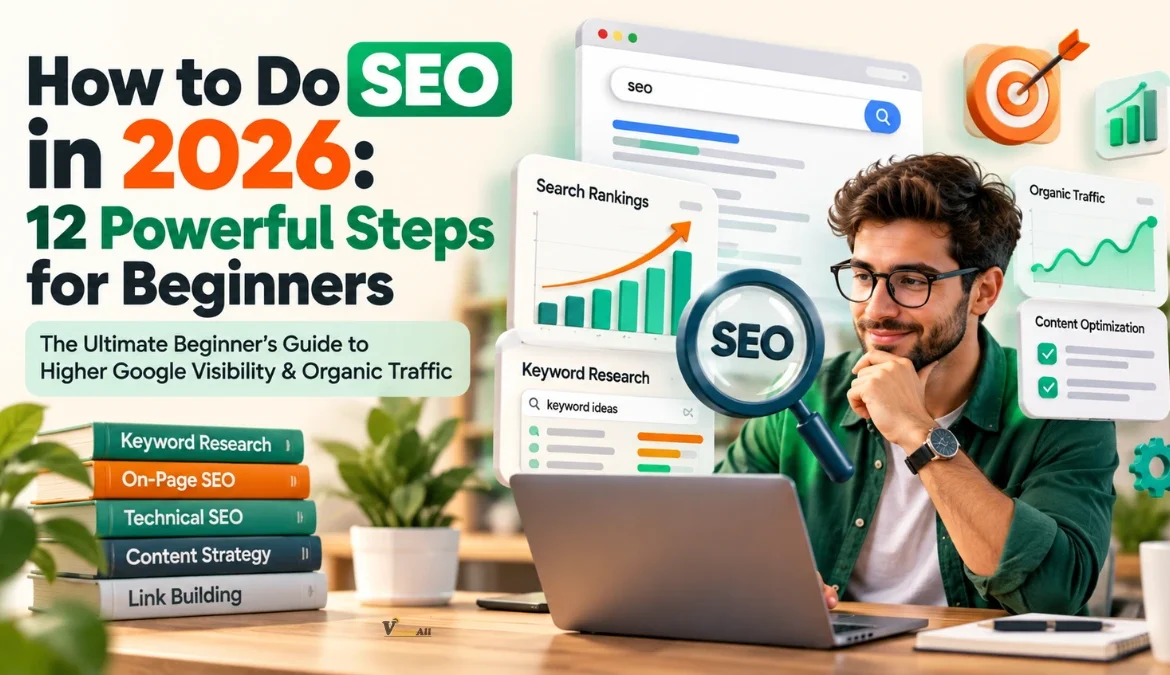
Improved title: “How to Do SEO in 2026: 12 Powerful Steps for Beginners”
The improved title explains the topic, includes the target audience, and makes the article’s structure clear.
Good titles generally:
- Describe the page accurately.
- Include a relevant primary keyword naturally.
- Avoid unnecessary repetition.
- Provide a useful reason to click.
- Match what the article actually delivers.
There’s no fixed character count guaranteed to display fully in Google. Search result titles can be shortened or rewritten depending on available space and other factors.
Write Useful Meta Descriptions
A meta description summarizes the content of a webpage.
For example:
“Learn how to do SEO in 2026 with 12 beginner-friendly steps. Discover keyword research, on-page SEO, technical tips, and ways to grow organic traffic.”
A good description gives readers a quick understanding of the content.
Google may use the meta description or select another relevant passage from the page to create its search snippet.
Use Heading Tags Properly
Heading tags organize your article.
- H1: Main article title
- H2: Main content sections
- H3: Subtopics within those sections
Use descriptive headings that help readers navigate the page.
Avoid forcing identical keywords into every heading.
Create SEO-Friendly URLs
Short, readable URLs help people understand what a page contains.
For example:
Less useful: example.com/post?id=84729
More descriptive: example.com/how-to-do-seo/
If your website is already established, avoid changing existing URLs unnecessarily. URL changes may require permanent redirects and updates to internal links.
Improve Your Website’s Technical SEO
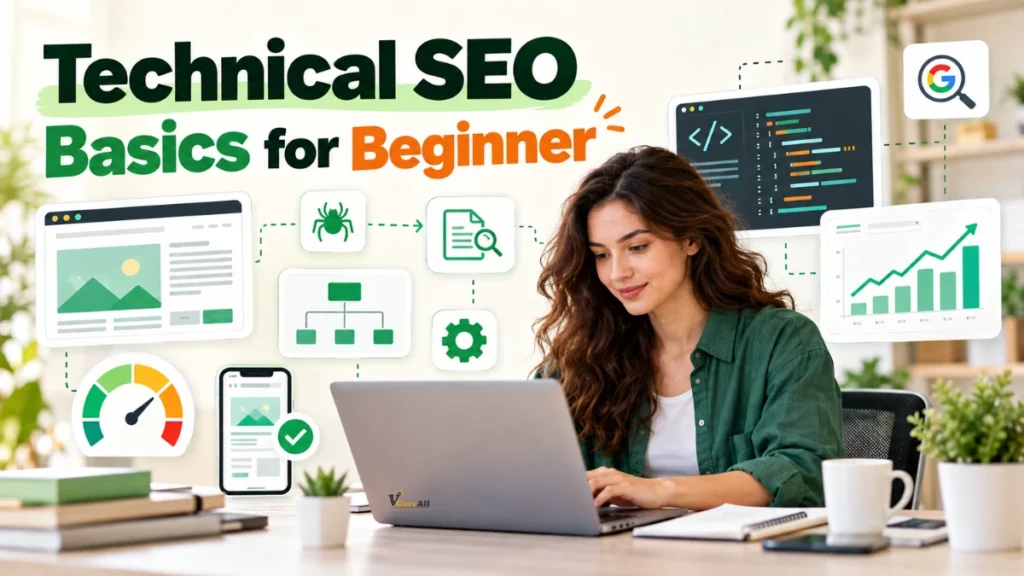
Technical SEO sounds complicated, but beginners can understand its foundations without becoming programmers.
The purpose of technical SEO is to help search engines access your pages, interpret your content, and recognize which URLs should appear in search.
Even excellent content may struggle to gain visibility if search engines cannot access it properly.
Check Whether Your Pages Can Be Indexed
Start by opening Google Search Console.
Select your website and use the URL Inspection tool to check an important page.
The report can help identify whether Google has indexed the URL and reveal possible issues.
If the page isn’t indexed, investigate the reason instead of assuming that Google simply needs more time.
Possible causes include crawl restrictions, duplicate content, noindex directives, or technical errors.
Understand XML Sitemaps
An XML sitemap is a file that lists website URLs you want search engines to discover.
A typical sitemap location might look like:
Many website platforms can generate sitemaps automatically.
You can submit your sitemap through Google Search Console.
However, sitemap submission doesn’t guarantee indexing or higher rankings. It helps Google discover relevant URLs.
Learn About Robots.txt
A robots.txt file provides crawling instructions for search engine bots.
For example, a website might use it to restrict crawlers from accessing certain administrative areas.
But robots.txt shouldn’t be treated as a reliable method for keeping private information out of Google. Protect private information with proper authentication, and use appropriate indexing controls for public pages that shouldn’t appear in search.
Fix Important Technical Problems
| Technical Issue | Why It Matters | Recommended Action |
|---|---|---|
| Broken internal links | Visitors cannot reach the intended pages | Update or remove broken links |
| Accidental noindex tags | Prevent eligible pages from being indexed | Check indexing directives |
| Slow-loading pages | Can frustrate visitors | Optimize heavy assets and code |
| Duplicate URLs | Can complicate canonical selection | Use consistent canonical URLs |
| Poor mobile usability | Makes content difficult to access | Improve responsive layouts |
| Incorrect redirects | Can send users or crawlers to wrong pages | Review redirect destinations |
For beginners, start with problems affecting important pages instead of trying to correct every minor technical warning immediately.
Not Sure Where to Start With SEO?
Learn how to do SEO step by step, from keyword research to technical optimization.
Improve Website Speed and Mobile Experience
Have you ever opened a webpage that seemed to load forever?
You probably didn’t enjoy the experience.
Your visitors may feel exactly the same way.
Website performance is an important part of making your content accessible and enjoyable.
When learning how to improve SEO, website speed and mobile usability deserve attention alongside keywords and content.
Understand Core Web Vitals
Core Web Vitals measure important aspects of real-world page experience.
| Metric | What It Measures | Good Threshold |
|---|---|---|
| Largest Contentful Paint (LCP) | Main content loading performance | 2.5 seconds or less |
| Interaction to Next Paint (INP) | Responsiveness to interactions | 200 milliseconds or less |
| Cumulative Layout Shift (CLS) | Unexpected visual movement | 0.1 or less |
These thresholds are evaluated at the 75th percentile of page visits.
They are useful performance goals, not guarantees of higher rankings.
How to Improve Website Speed
Start with your images.
Large image files can slow down pages unnecessarily.
Use appropriately sized images, modern formats such as WebP or AVIF where suitable, and compression that preserves acceptable visual quality.
Next, review unnecessary scripts and plugins.
A website with many overlapping tools can become slower and harder to maintain.
You can also improve loading performance through caching, efficient hosting, and reduced render-blocking resources.
Make Your Website Mobile-Friendly
Your content should be easy to read and navigate on a mobile phone.
Check that:
- Text remains readable without zooming.
- Navigation menus work correctly.
- Buttons are easy to tap.
- Images fit different screen sizes.
- Important content is accessible on mobile.
- Pop-ups don’t unnecessarily block the page.
Google primarily uses the mobile version of a website’s content for indexing, so differences between desktop and mobile content can matter.
Use Google PageSpeed Insights to identify performance problems, then prioritize changes affecting real visitors.
Build a Smart Internal Linking Strategy
Internal links connect pages within the same website.
They help visitors discover related information and allow search engines to find additional content.
For example, imagine you’ve published an article about SEO.
Within that guide, you can link to relevant articles about keyword research, technical SEO, content writing, and Google Search Console.
This creates a useful learning journey.
Use Descriptive Anchor Text
Anchor text is the clickable wording of a link.
Instead of writing:
“Click here to learn more.”
You might write:
“Explore our beginner’s guide to keyword research.”
The second version describes what readers can expect after clicking.
Create Topic Clusters
A topic cluster connects a broad guide with more specific supporting articles.
For example:
Main guide: How to Do SEO in 2026
Supporting articles:
- How to Find SEO Keywords
- On-Page SEO Checklist
- Technical SEO for Beginners
- How to Build Quality Backlinks
- Google Search Console Tutorial
- Common SEO Mistakes
The main guide introduces the subject while supporting articles explore individual topics in more detail.
This organization can make your website easier to navigate and help search engines understand how your pages relate to one another.
Avoid These Internal Linking Mistakes
Don’t add links simply to increase the number of links on a page.
Avoid linking repeatedly to the same destination without a useful reason.
Make sure your links lead to relevant, accessible pages.
Most importantly, don’t force exact-match keyword anchor text into every link.
Practical tip: Whenever you publish a new article, review older related posts and add useful links where they naturally help readers.
Build High-Quality Backlinks Naturally
Backlinks are links from other websites pointing to your pages.
They can help search engines discover content and provide signals about how pages connect across the web.
However, not every backlink offers the same value.
A relevant editorial link from a trustworthy website may be more useful than dozens of unrelated links created only for ranking purposes.
How to Build Backlinks for SEO
One effective approach is creating content that other people genuinely want to reference.
Examples include:
- Original research or surveys
- Useful industry comparisons
- Detailed educational guides
- Free templates and resources
- Unique illustrations and explanations
- Case studies with verifiable information
Suppose you create a practical SEO audit checklist.
A website discussing SEO education might choose to link to your checklist because it helps its readers.
That’s a natural reason for a backlink.
Try Relevant Outreach
If you’ve published a genuinely valuable resource, you can introduce it to websites, educators, or publishers covering related topics.
Keep outreach personal and relevant.
Explain why your resource may be useful without demanding a link.
You can also contribute expertise to relevant publications when their editorial policies allow it.
Avoid Manipulative Link Building
Be cautious about:
- Buying links intended to manipulate rankings
- Participating in automated link schemes
- Creating large networks of low-quality links
- Posting irrelevant comments containing promotional links
- Using excessive keyword-rich anchor text
Google’s spam policies prohibit link schemes designed to manipulate search rankings.
For beginners, quality and relevance should matter more than backlink quantity.
Optimize Images and Visual Content for SEO
Images make articles easier to understand, especially when explaining technical topics.
A screenshot can sometimes teach a process more clearly than several paragraphs.
Image optimization also helps search engines understand visual content.
Choose Descriptive Image File Names
Instead of uploading a file named:
IMG_00983.jpg
Use a meaningful name such as:
google-search-console-performance-report.webp
This makes the file’s subject easier to recognize.
Write Useful Alt Text
Alt text describes an image for people using assistive technologies and can provide context to search engines.
For example:
“Google Search Console performance report showing search clicks and impressions.”
Keep alt text accurate and relevant.
Decorative images may not need descriptive alt text, while meaningful screenshots and diagrams should communicate their purpose.
Avoid stuffing unrelated keywords into image descriptions.
Place Images Near Related Content
If you’re discussing technical SEO, add the relevant technical SEO illustration near that explanation.
If you’re teaching keyword research, show a relevant keyword research example.
Visuals should support the surrounding content.
Use Images That Add Real Value
An SEO blog may benefit from images such as:
| Image Idea | Purpose |
|---|---|
| Search engine crawling diagram | Explain how search engines discover pages |
| Keyword research dashboard | Demonstrate keyword selection |
| SEO title and meta description example | Explain search result appearance |
| Website performance report | Illustrate speed analysis |
| Internal linking structure | Explain topic clusters |
| Search Console performance chart | Show how to measure results |
Use original screenshots, diagrams, or properly licensed visuals whenever possible.
Prepare Your Content for AI-Powered Search in 2026
One of the biggest changes in modern search is the growing presence of AI-powered experiences.
Google Search includes features such as AI Overviews and AI Mode, which can help users explore information through AI-generated responses and links.
This has encouraged interest in concepts such as Answer Engine Optimization (AEO) and Generative Engine Optimization (GEO).
However, traditional SEO fundamentals remain important.
Google’s guidance explains that websites don’t need a special AI-specific optimization method or additional technical requirements to become eligible for supporting links in its AI search features.

Make Your Content Easy to Understand
Clear explanations help human readers and make information easier to interpret.
For example, if your article includes the heading “What Is Technical SEO?”, follow it with a direct definition before introducing detailed examples.
Avoid hiding essential information behind vague introductions.
Add Information That Isn’t Easily Replaced
Content becomes more useful when it contains original value.
Consider adding:
- Firsthand demonstrations
- Original screenshots
- Practical comparisons
- Real examples with verifiable details
- Clear explanations of common mistakes
- Unique insights based on legitimate experience
A generic definition of SEO is easy to find.
A detailed walkthrough showing how to diagnose an indexing problem offers readers something more practical.
Understand Structured Data
Structured data is standardized information added to webpages to help search engines interpret certain content.
For example, supported structured data types can describe products, articles, recipes, or other eligible content.
When relevant, accurate structured data may make pages eligible for certain enhanced search appearances.
But adding schema markup doesn’t guarantee a rich result or inclusion in an AI-generated answer.
Focus on Readers, Not AI Tricks
Avoid creating pages solely to chase AI citations.
The stronger approach is to publish accurate, original content that answers questions better than a generic summary.
In 2026, learning how to do SEO means adapting to new search experiences without abandoning the fundamentals.
Track SEO Performance Using Google Search Console
SEO isn’t a one-time task.
Publishing an optimized article is only the beginning.
To understand what is working, you need to measure performance.
Google Search Console is one of the most useful free tools for this purpose.
It provides information about how your website appears in Google Search.
Important SEO Metrics to Track
| Metric | What It Means | Why It Matters |
|---|---|---|
| Impressions | How often your pages were shown in eligible search results | Indicates search visibility |
| Clicks | Visits from Google Search results | Shows search traffic generated |
| CTR | Percentage of impressions that resulted in clicks | Helps evaluate search result performance |
| Average position | Average ranking position across reported impressions | Provides ranking context |
| Indexed pages | Pages included in Google’s index | Helps identify indexing issues |
| Organic conversions | Valuable actions from organic visitors | Connects SEO to real goals |
How to Use Search Console
Open the Performance report.
Choose a suitable time period, such as the past three months.
Identify pages attracting impressions but relatively few clicks.
Review whether their titles clearly communicate what the content offers.
Next, identify queries where your website already appears.
Some may reveal new sections you could add to an existing article.
For example, your guide might receive impressions for “SEO checklist for beginners” even though it doesn’t contain a practical checklist.
Adding a genuinely useful checklist could improve the article’s completeness.
Combine Search Console With Google Analytics
Google Search Console focuses on search visibility and related technical information.
Google Analytics 4 can help you understand how visitors interact with your website after arriving.
You can examine engagement, important actions, and conversions.
Together, these tools provide a more complete view of SEO performance.
Remember that a small movement in average position doesn’t always mean your website has become significantly better or worse.
Consider trends over time, individual queries, seasonal demand, and changes in your content.
Turn Your Website Into a Search-Friendly Experience
Understand how better content, structure, and usability can support your organic search performance.
Create a Consistent SEO Improvement Plan
The final step is turning everything you’ve learned into a realistic routine.
Many website owners spend several days optimizing everything and then ignore SEO for months.
A more practical approach is to make steady improvements.
Start With an SEO Audit
An SEO audit helps identify issues that may be limiting your website’s performance.
You don’t need an expensive tool to begin.
Review your important pages and ask:
- Can Google access and index them?
- Do their titles accurately describe their content?
- Are the articles genuinely helpful?
- Do important pages link to one another?
- Do pages work well on mobile devices?
- Are there broken links or major technical errors?
- Are images appropriately optimized?
- Is there outdated or incorrect information?
Prioritize issues that affect important pages and actual users.
Follow a Simple Four-Week SEO Plan
| Week | Main Focus | Action |
|---|---|---|
| Week One | Research and setup | Identify your audience, choose keywords, configure Search Console |
| Week Two | Content and on-page SEO | Improve titles, headings, content, and internal links |
| Week Three | Technical improvements | Review indexing, sitemap, mobile usability, and speed |
| Week Four | Measurement and refinement | Review performance, correct problems, plan helpful content |
This is a starting workflow, not a promise of measurable ranking gains within four weeks.
SEO changes may take time to be reflected in search results.
Build a Monthly Routine
Every month, review your best-performing content and identify pages that need attention.
Look for articles with outdated information, unclear explanations, broken references, or missing answers.
Update them when you can genuinely improve their usefulness.
You should also develop new content based on real audience needs instead of publishing articles simply to meet a numerical target.
A smaller collection of excellent resources can be more valuable than a large collection of repetitive pages.
SEO Checklist for Beginners: What to Check Before Publishing
Before publishing your next blog post or website page, use this beginner-friendly SEO checklist.
| SEO Task | What You Should Check |
|---|---|
| Primary keyword | Does the page have one clear main topic? |
| Search intent | Does the content satisfy the likely reason for the search? |
| SEO title | Is the title descriptive and relevant? |
| Meta description | Does it summarize the page accurately? |
| Headings | Are sections organized clearly? |
| Content quality | Is the information original, useful, and correct? |
| Keyword placement | Are keywords included naturally? |
| Internal links | Are relevant supporting pages linked? |
| External references | Are reliable sources included where needed? |
| Images | Are meaningful images optimized and accessible? |
| URL | Is the address readable and descriptive? |
| Mobile experience | Does the page work comfortably on phones? |
| Page speed | Are major loading problems addressed? |
| Indexability | Can eligible pages be accessed and indexed? |
| Analytics | Can you monitor relevant performance metrics? |
You don’t need every SEO tool available to complete this checklist.
Begin with what you can control, improve important issues first, and continue learning as your website grows.
Common SEO Mistakes Beginners Should Avoid
Learning SEO also means recognizing practices that waste time or create unnecessary risks.
Keyword Stuffing
Repeating the same keyword unnaturally can make content difficult to read and may violate Google’s spam policies.
Instead of writing “how to do SEO” in every paragraph, use clear language and related terms naturally.
Ignoring Search Intent
An article may contain excellent keywords but still disappoint readers if it doesn’t answer their question.
Always prioritize what visitors came to learn.
Publishing Thin or Repetitive Content
Avoid publishing numerous pages that repeat almost identical information without adding meaningful value.
Create a strong resource for each distinct topic.
Buying Low-Quality Backlinks
Links created mainly to manipulate search rankings can create problems.
Focus on earning relevant editorial links.
Ignoring Technical Problems
If important pages cannot be indexed, improving their keyword placement alone won’t solve the problem.
Expecting Instant Rankings
SEO is usually a long-term process.
Some changes may be reflected relatively quickly, while others can take months to show meaningful results.
Changing Everything at Once
If you change every title, URL, internal link, and page layout simultaneously, it can become difficult to understand what helped or hurt performance.
Prioritize carefully and monitor the results.
Struggling to Find the Right SEO Keywords?
Discover how to identify relevant search terms and create content that matches your audience’s needs.
Final Thoughts: Start Small, Stay Consistent, and Keep Improving
Learning how to do SEO in 2026 doesn’t require mastering every technical concept overnight.
You don’t need to purchase expensive software immediately, publish hundreds of blog posts, or spend every day checking keyword rankings.
What matters most is understanding your audience and making your website genuinely useful.
Start by identifying the questions people are asking. Choose relevant keywords, provide clear answers, and organize your content so visitors can easily find what they need.
Then strengthen your website with good internal linking, accessible pages, mobile-friendly design, and reliable information.
Use Google Search Console to understand what’s happening instead of guessing.
As you gain experience, you’ll become better at recognizing opportunities, improving existing pages, and building a sustainable content strategy.
Remember, successful SEO isn’t about finding a secret trick that guarantees Google’s first position.
It’s about making your website a better answer to the questions your audience is already asking.
And you can begin doing that with your very next page.
Instead of trying to change everything today, choose one important page, improve it using this guide, and build from there.
Your next improvement could become the foundation of a much stronger website.
Start with one page. Make it genuinely helpful. Measure what happens. Then keep improving.
Frequently Asked Questions About How to Do SEO
How to do SEO for beginners?
Start by understanding your target audience and the keywords they search for. Create helpful content that answers those searches, optimize your page titles and headings, and add relevant internal links. Then use Google Search Console to check indexing and monitor search performance. Beginners should focus on strong SEO fundamentals before advanced techniques.
How to do SEO in 2026 for a new website?
Begin with a technically accessible website, a clear content structure, and relevant keyword research. Publish original articles that satisfy search intent. Optimize mobile usability, page speed, titles, and internal linking. Submit a sitemap where appropriate and monitor the site using Search Console. Give your website time to develop visibility.
Can I do SEO myself for free?
Yes. You can learn and apply many SEO techniques without paying an agency. Google Search Console, Google Trends, Google Keyword Planner, and PageSpeed Insights offer useful free capabilities. However, SEO still requires time, research, and effort, and some advanced tools or specialized services may have costs.
How long does SEO take to show results?
There is no universal SEO timeline. Some changes may be reflected in search results within hours or days, while improvements in competitive topics can take several months or longer. Results depend on your website, competition, existing content, and the changes you make. Focus on sustainable progress rather than immediate rankings.
How do I rank my website on Google?
Start by making your important pages accessible to Google. Research relevant searches, publish useful content, improve on-page SEO, and address technical issues. Build a logical internal linking structure and earn relevant references from other websites when possible. No technique can guarantee a particular Google ranking.
What are the best free SEO tools for beginners?
Google Search Console is useful for search performance and indexing information. Google Analytics helps track visitor behavior. Google Trends can reveal changing search interest, while Google Keyword Planner provides keyword ideas. PageSpeed Insights helps identify website performance problems. Each tool serves a different purpose.
What is the difference between on-page SEO and off-page SEO?
On-page SEO includes improvements made directly to your website, such as content optimization, title tags, headings, and internal links. Off-page SEO involves activities outside your website, such as earning relevant backlinks and building brand awareness. Both can contribute to a broader SEO strategy.
How do I find the right SEO keywords for my blog?
Begin with your blog’s main topic and identify related questions your audience may search for. Use keyword research tools to evaluate demand and competition. Examine the search results to understand search intent. Select a clear primary keyword and closely related supporting phrases that fit naturally within your article.
Can I improve SEO without backlinks?
Yes. You can improve your website by publishing better content, correcting indexing problems, optimizing titles, improving mobile usability, and strengthening internal links. Backlinks can be valuable, especially in competitive topics, but they aren’t the only area of SEO worth improving.
Is SEO still worth learning in 2026?
Yes. Search engines continue to help people discover websites, information, services, and products. Although AI-powered search experiences are changing how people interact with results, the fundamentals of producing useful content and making it accessible remain relevant. SEO is a valuable skill for bloggers, business owners, and digital marketers.